Immersion Data Spreadsheet
This is a very detailed spreadsheet made in GSheet
- Can be used up until
2035, until theSheetpage limit can no longer go beyond
Setting up
Immersion Data Spreadsheet up to 2035
-
Video Guide on how to fill-up data
-
To copy, open the
SpreadsheetthenFile>Make a Copy- To use other Sheets: go to
View>Hidden Sheets- You can also
hide any sheetto look clean as long as you don't delete them
- You can also
- To use other Sheets: go to
-
(Optional) On your
Spreadsheet,Extensions>Add-ons>Get Add-ons>Bulk Sheet Manager- Good for bulk hiding/unhiding sheets
Extra Info and Tips
Info 1: Existing users updating from non-2035 version
Existing users updating from non-2035 version (click here)
-
I recommend just copy pasting your data like this by copying the updated sheet, and replacing all the months with yours
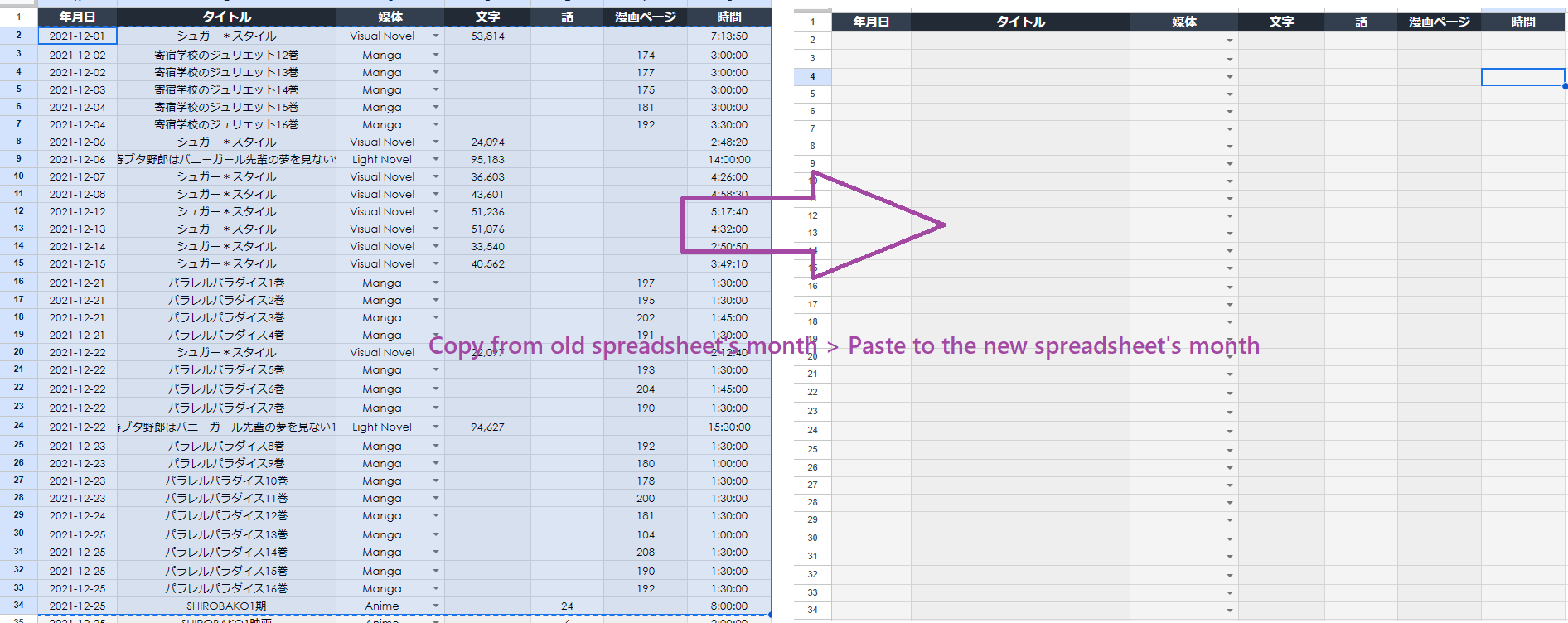
-
(This will take a LOT of time) OR copy and replace
Overall,Graph Tracker,FormulaandTemplate Sheets(View > Hidden Sheets)Make 2023-2035 sheetsof each month e.g. Jun-2024 (Format: Mon-YEAR)
Info 2: Updating the Spreadsheet yourself
At the time of writing, 2035 is the limit and already existing
Updating it Manually (click here)
-
You can update it yourself after the latest yearby just duplicatingTemplate sheet(on Hidden Sheets) -
Duplicate into
12 months of that year, e.g. Jan-2023- (make sure it's
3 letter per monthwith capital on the first letter, Mon-YYYY)
- (make sure it's
-
Update formula in
Overall,FormulaandGraph Trackersheet by adding the additional year on top of previous year