Setup: Anime on PC
asbplayeris a browser video player that supports uploading ofAnimeandsubtitleto be able hover over the words to useyomitan- With the browser extension, it should also support streaming platforms such as
YoutubeorNetflix
Download and Install
-
Download your
AnimeandJP Subtitle- To get
JP subtitlesgo to Jimaku
- To get
-
(Optional) For streaming video, download asbplayer extension
Requirements
- Yomitan on PC and ShareX already set-up
Setting Up
-
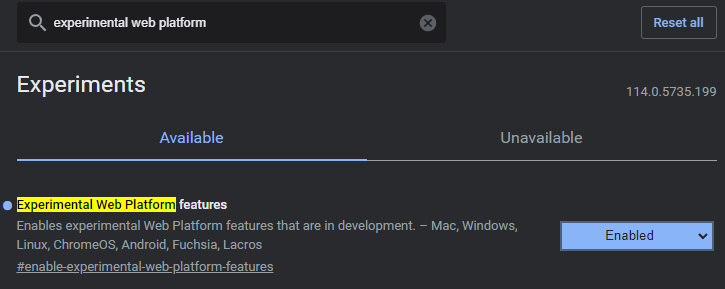
In your browser, go to
chrome://flagsoredge://flags- Search for
Experimental Web Platform features>Enabled
- Search for
-
Go to asbplayer
- Accept
request permissiontoAnkiand install theChrome extension
- Accept
-
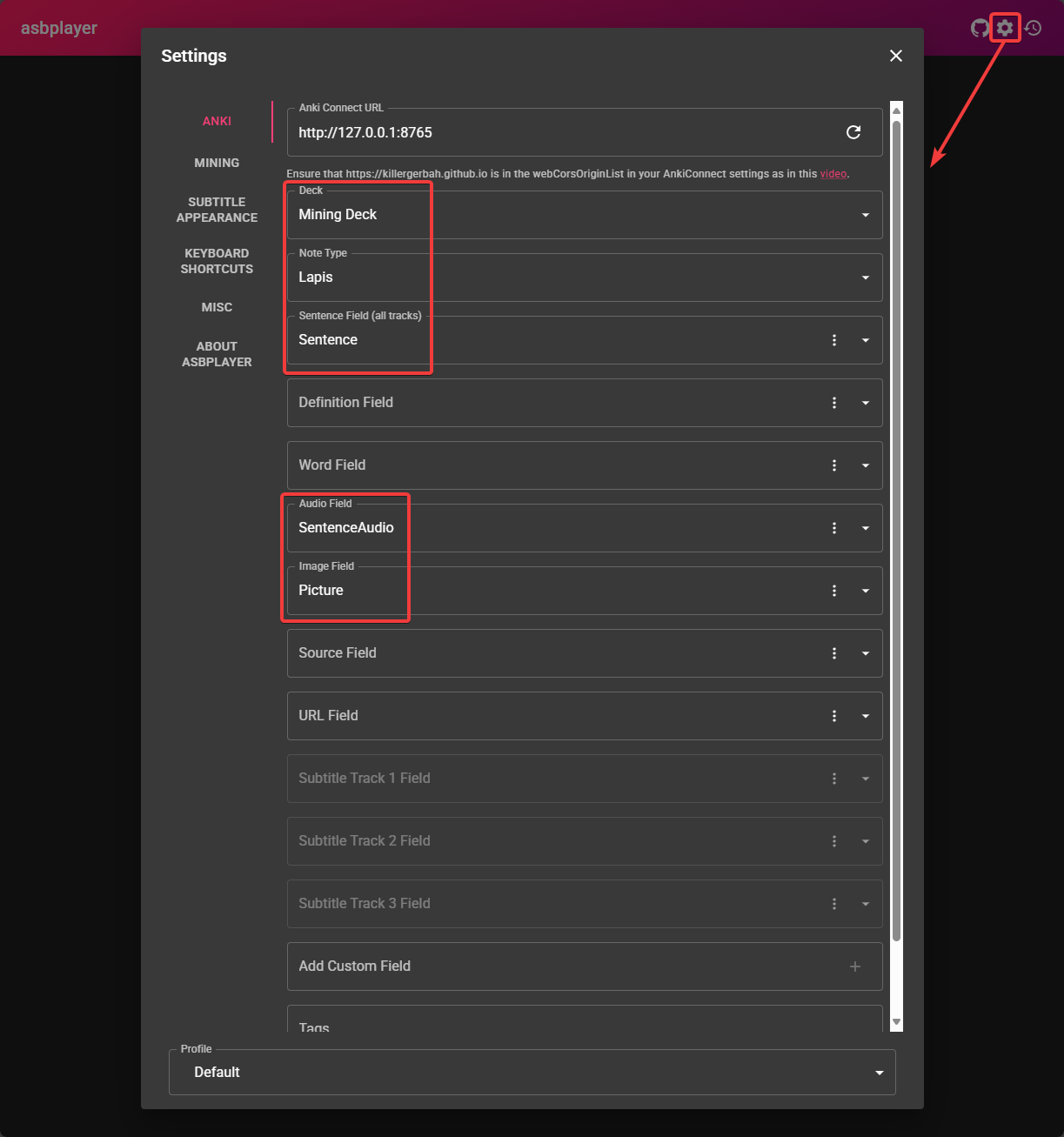
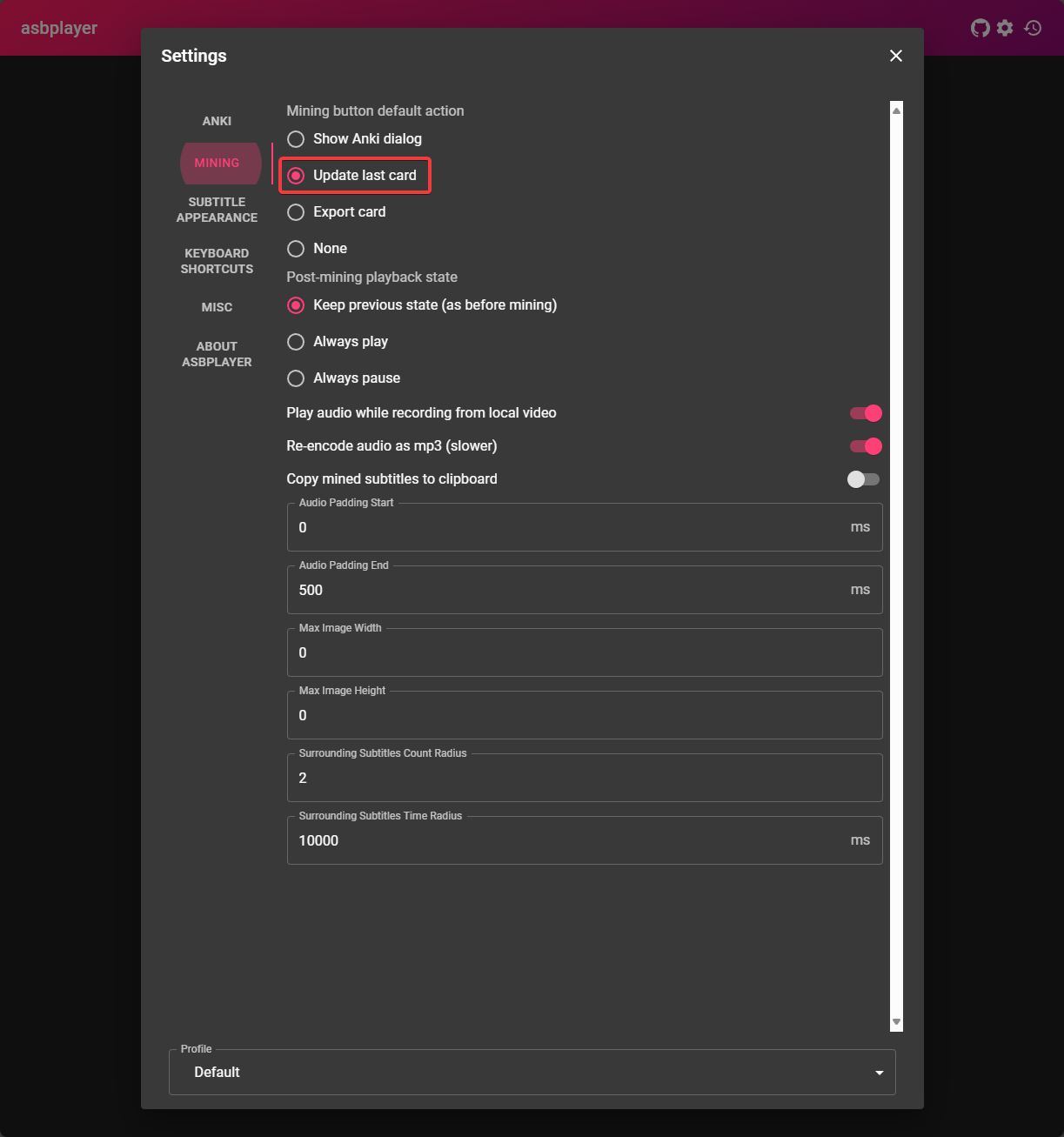
On the top right of the page's settings(Cog icon); copy the settings below
- You can ignore the other fields not in
red box
- You can ignore the other fields not in
-
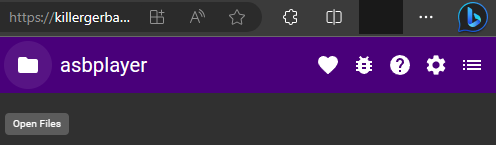
Upload your
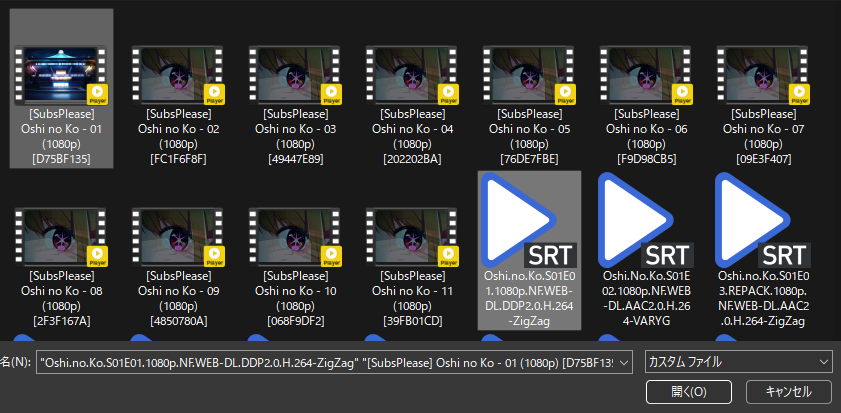
AnimeandSubtitleto theasbplayerby clicking thefoldericon on the top left- Ignore for streaming platforms like
YoutubeorNetflix
- Ignore for streaming platforms like
-
To mine:
- Hover over the word in the subtitles and mine with
Yomitan - Tap
Ctrl + Shift + Uto automatically addscreenshotandaudiotoAnki - (Optional) To change keyboard shortcuts:
Settings>Keyboard Shortcuts>Update last-created Anki card
- Hover over the word in the subtitles and mine with
-
You can now mine using
asbplayerandyomitan!
You can now mine Anime on PC, why not do it on Android too? (RIP eyes)
Proceed to Setup: Anime on Android Setup
If you have any problems check FAQs
Extra Info and Tips
Info 1: Anime Mining Demo
Anime Mining Demo (click here)
- Outdated; you use asbplayer's hotkey(
Ctrl + Shift + U) instead ofShareXhotkeys to automatically get bothscreenshotandaudio
Tip 1: Synchronizing Subtitle
Synchronizing Subtitle (click here)
Depending on the source of your Anime, the Subtitle could be out of sync, to remedy that problem:
-
+100ms -
CTRL + SHIFT + LEFT ARROW KEY -
-100ms -
CTRL + SHIFT + RIGHT ARROW KEY
Tip 2: Skip Audio Recording when Mining
Skip Audio Recording when Mining (click here)
-
You can skip the audio recording when mining as it is time consuming
-
If you also manage to do your Anki Cards below 5s each, you will barely hear the recorded Audio
FAQs
Question 1: Why Enable Experimental Web Platform features?
Why Enable Experimental Web Platform features? (click here)
- Some
Animehave multipleaudio sourcessuch asenandjp, by enabling this we can pickjpsource if it's not the default
Question 2: Why Ignore Request Permission to Anki?
Why Ignore Request Permission to Anki? (click here)
- Because we are using the normal method where we can use the full features of
AnkiandYomitansetup
Question 3: Why not install the Chrome Extension?
Why not install the Chrome Extension? (click here)
- Same as
Question 2,asbplayerhas a built-inAnkisupport that lacks the feature of our ownAnkiandYomitansupport