Setup: LN on Android
- You can use your
Androidto readLight NovelusingEdge Canaryto scan words usingyomitanon it
Download and Install
-
Download and Install Ankiconnect Android
.apkfile -
Install Ankidroid
Requirements:
- Yomitan On Android already set-up
Setting Up
-
Open
AnkiConnect Android, start the service- Open
Ankidroidand leave it in the background
- Open
-
Open your
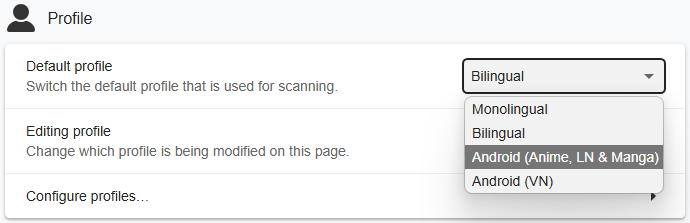
Edge Canary>Yomitan Settings>Profile>Default&EditingProfile >Android (Anime, LN & Manga)- If you are not using my
Yomitan settings, see Info 2
- If you are not using my
-
In
Edge Canary, openhttps://reader.ttsu.app/and upload yourLight Novelepubs -
You can now
mineinAndroidbytappingto scan the word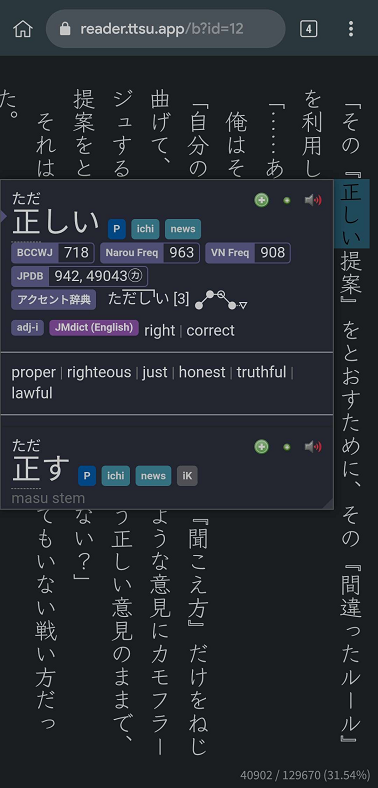
You can now read Light Novels in Android, why not check out the Manga setup?
If you have any problems check FAQs
Extra Info and Tips
Info 1: My TTU Settings
My TTU Settings (click here)
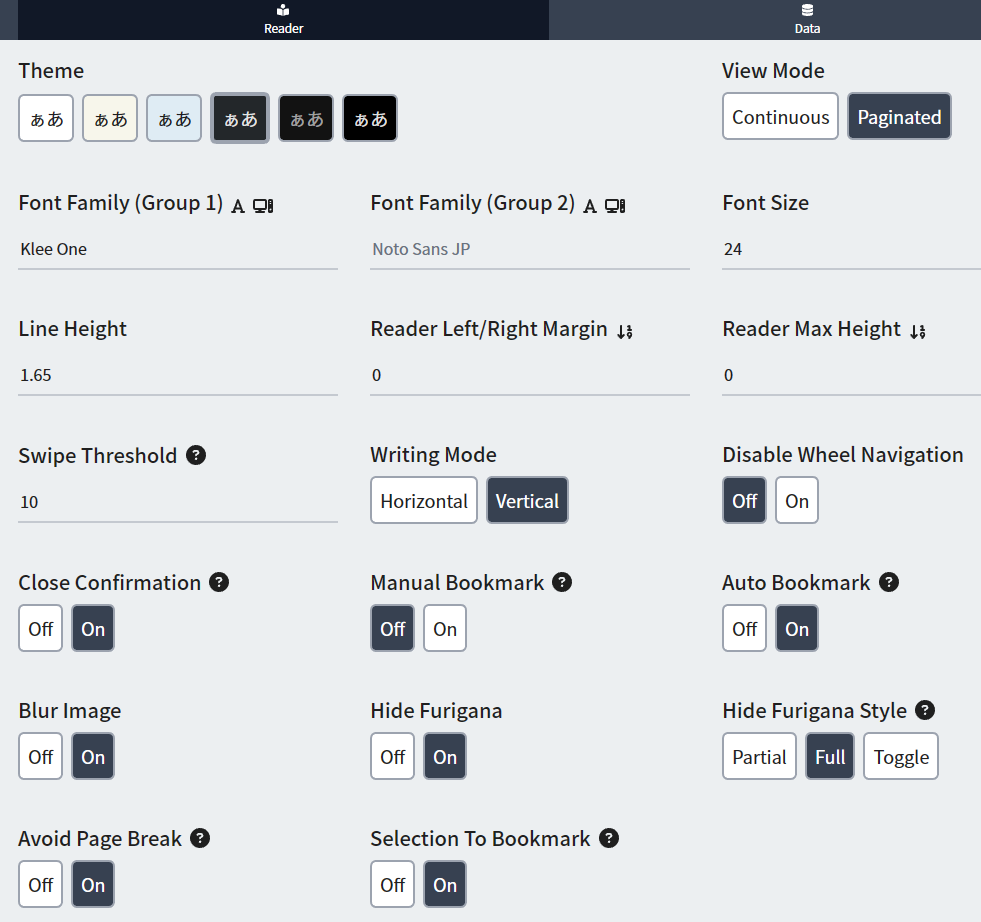
Here's my Android settings for TTU
Info 2: Text Replacement Pattern
Text Replacement Pattern (click here)
Without my settings, you have to manually put this as it is needed to accurately scan text
-
On
Yomitan settings> turn onAdvancedsettings, eitherbottom leftorscroll down -
On
Translation>Configure custom text replacement patterns... -
Copy and paste this
Info 3: Android Yomitan Local Audio
Android Yomitan Local Audio (click here)
Requirements:
-
Make sure you have PC Yomitan Local Audio setup
-
You have Ankiconnect Android installed
-
Here's the source for more info or updates
-
This setup takes 3gb+ of space
-
Within
AnkionPC:Tools>Local Audio Server>Generate Android database- This would take 30mins+ (Anki will be unuseable but you can mine)
-
Within
AnkionPC: eitherCtrl + Shift + AorTools>Add-ons> selectLocal Audio Server for Yomitan>View Files- There will be a file named
androidorandroid.db
- There will be a file named
-
On your android, open
AnkiConnect Android>Settings>Print Local Audio Directory- This will show you the path as well as generate the folder
-
On that location from 3rd step, usually:
Android/data/com.kamwithk.ankiconnectandroid/files/- Paste the
androidfile ONfilesfolder fromPC(2nd step) - The result should be:
Android/data/com.kamwithk.ankiconnectandroid/files/android.db - Alternatively, use MiXplorer file manager if you only have android device
- Only
Copyfrom your download folder notCut, otherwise it will notPaste
- Only
- Paste the
-
My
local-audio-yomitan-settingsprofile:Android (Anime, LN & Manga)- OR if you are not using my profile:
- Go to
Yomitan settings>Audio>Configure audio playback sources...>Add>Custom URL (JSON) - Paste
http://localhost:8765/localaudio/get/?term={term}&reading={reading}and make sure it's on the top
- Go to
- OR if you are not using my profile:
-
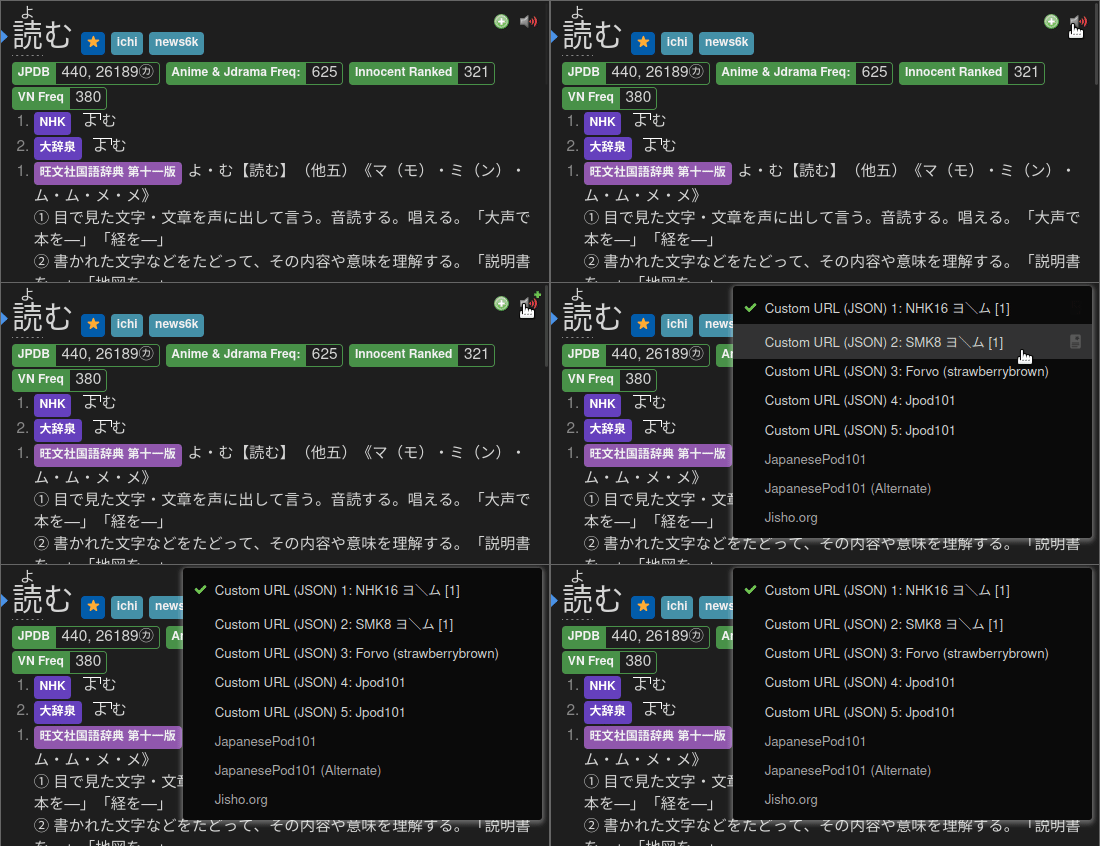
To ensure it's working, check that all sources are present
- If it doesn't work, make sure AnkiConnect Android
Start Serviceis running - Battery saving/optimization is off for AnkiConnect Android, Ankidroid and Edge Canary
DONE!
- If it doesn't work, make sure AnkiConnect Android
FAQs
Question 1: How to use Monolingual Setup on Android?
How to use Monolingual Setup on Android? (click here)
-
Go to your
Yomitansettings >Dictionary> Enableall