Setup: VN on Android
- You can play
Visual Novelusing anAndroiddevice runningSteam Link - Your
PCmust be running as theAndroiddevice will stream from yourPC - It still has all the features just as if you were in your
PC
Requirements
For PC:
-
Yomitan On PC, ShareX and VN on PC already set-up
-
Running
Anki,Steam,TextractorandTexthookerpage
For Android:
- Install and Run Steam Link
Note
Visual Novel doesn't have to be a steam game and Steam Link can run basically any games
Setting Up
-
In your
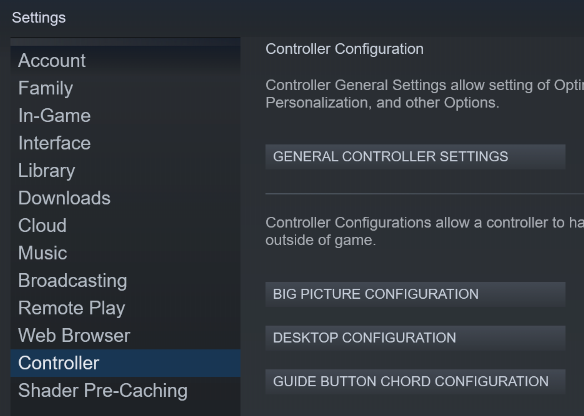
PC, open yourSteam Settings>Controller>Desktop Configuration- You must have your
Steam Linkconnected and opened in your android while doing this on your PC
- You must have your
-
Customize your
M1-M8with whatever keybinds you like for your mining or whatever like ShareX e.g.alt + shift + C(screenshot)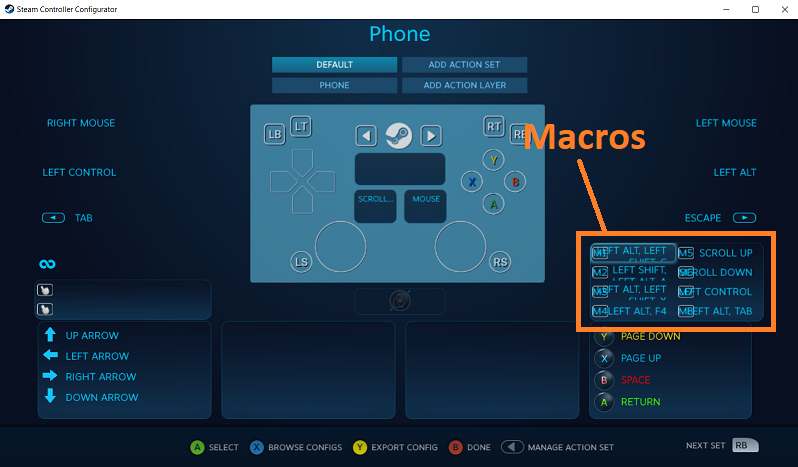
-
In your
Android, openSteam Link>Settings>Streaming>2nd page>Launch Mode>Desktop(to disable Big Picture)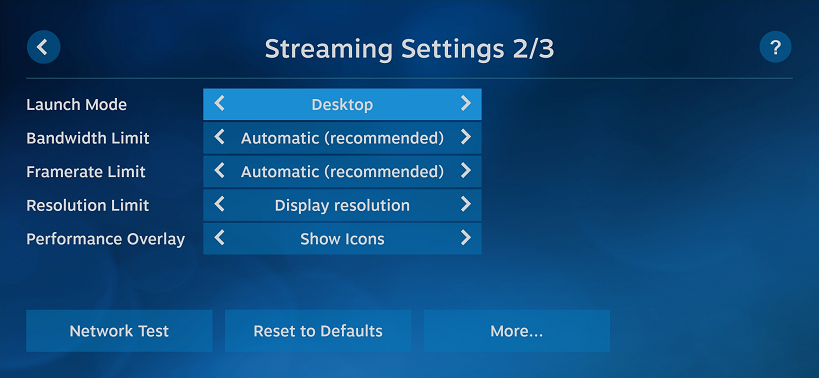
-
Use
Steam link>shake your android(if icon is not there) > open thetop left icon>Touch ControllerENABLED >Layout Controls- Add your macro buttons; like screenshot, audio record, ctrl etc.
- Erase controller buttons as you won't need them
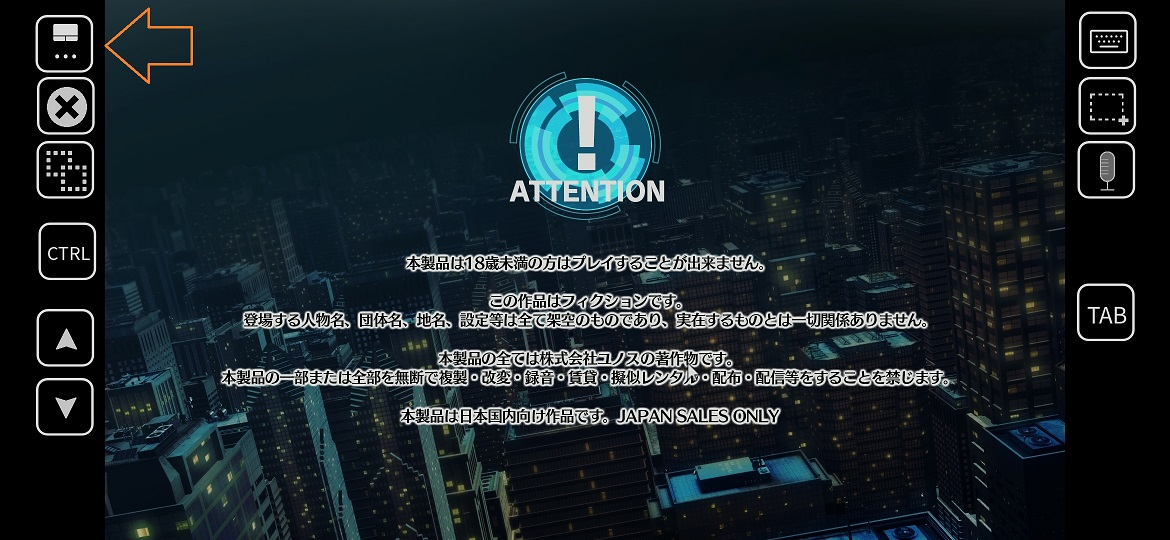
-
Use
Mouse Trackpadnot direct cursor (or you can't switch monitor)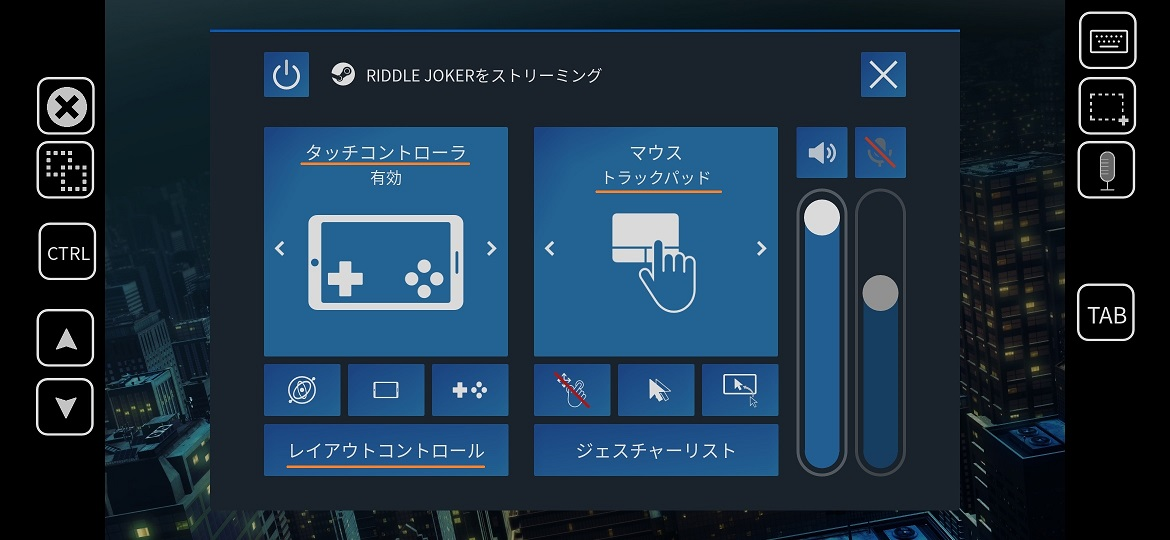
-
On your
PCmake sureTexthooker PageandVisual Novelis on different screen, then run yourSteam Link- Make sure when you run your
Visual Novel, it is not launched viaSteamor controller layout would not work
- Make sure when you run your
-
Proceed to Yomitan Configuration and Mining VN on Android
Yomitan Configuration
-
On
PC, Textractor 5.2.0 and extract(?) (Pass:lazyguide) folder, opentexthooker - androidpage -
In your
texthooker - androidpage, copy theURL
-
On
PC, openYomitan Settings>Profile>Configure Profiles...>Android (VN)>Options>Edit conditions...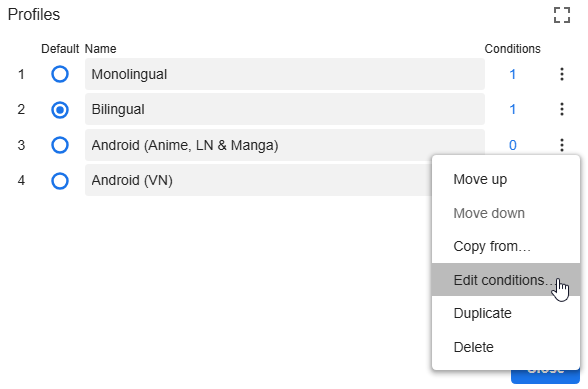
-
Set it to
If URLandMatches RegExpand paste theURLon the3rd boxfromstep 2
Mining VN on Android
-
Drag your mouseout of your screen to where your other monitor is(left or right) -
TAPyour screen to switch monitor -
Add Yomitanwords like usual -
Use the macrosthat you've set for screenshot/audio (ShareX)
Note
- If you only have 1 monitor, customize your
Steam Controller Settings> M1-M8 and put analt-tabmacro - You can also turn off your PC Monitor when using this setup
Macros on my Steam Link:
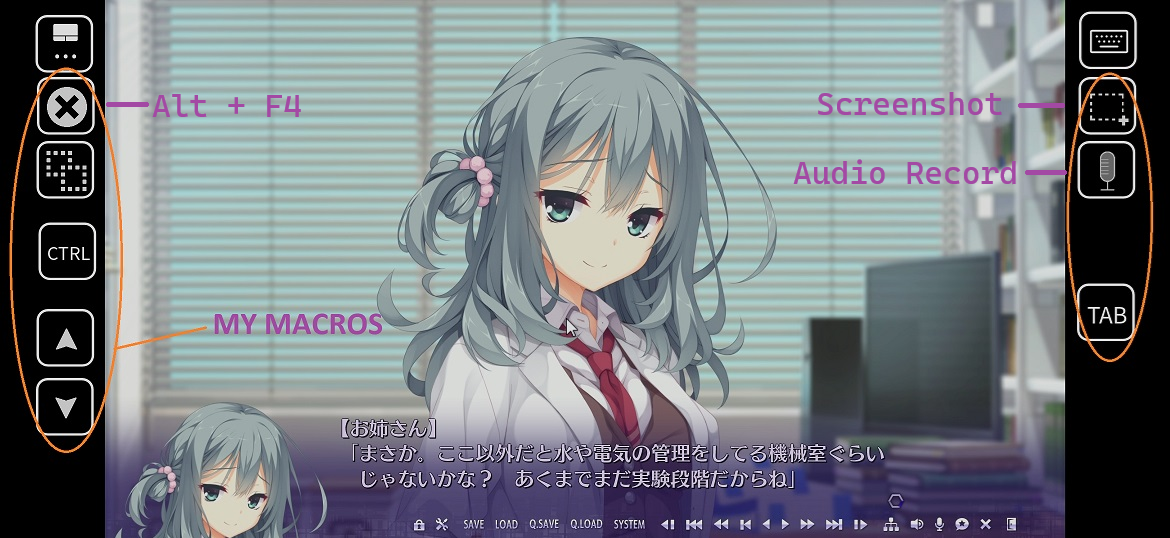
Yomitan/Texthooker Page on my Android:
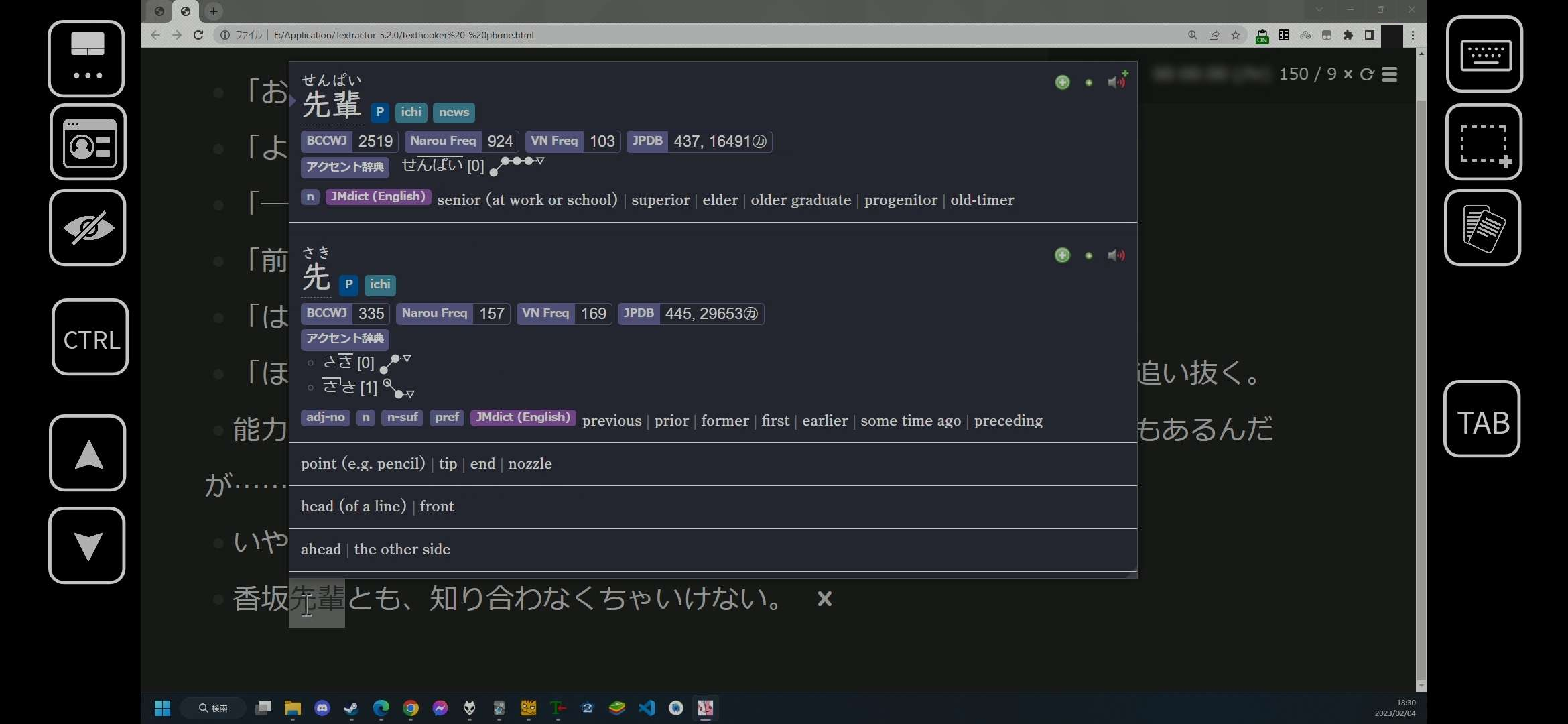
You now mine VN on Android, why not check out Mining Light Novel on PC?
If you have any problems check FAQs
Extra Info and Tips
Tip 1: Zoom in your texthooker - android page
Zoom in your texthooker - android page (click here)
- If it's not big enough for you, on your
PC>texthooker - androidpage, Zoom in withCtrl + Mouse Scroll Wheelto the%that you like
FAQs
Question 1: How to use Monolingual Setup?
How to use Monolingual Setup? (click here)
-
In your
PC, go toYomitansettings >Profile (Editing)>Android (VN) -
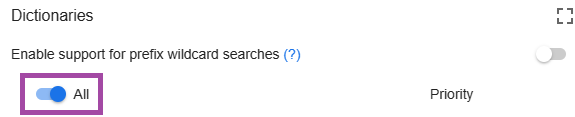
Yomitansettings >Dictionary> Enableall