- I recommend you to follow the current guide that's not on the Archive
I'm aware that this is an Archive (click here)
Setup: VN on PC
-
Textractor is a tool used to extract
textfromVisual Novels -
Clipboard Inserter is used to copy and paste the text extracted by
Textractorinto aTexthookerpage where you can useYomitanto scan the words and mine it intoAnki
Requirements:
-
Yomitan On PC already set-up
-
Download Textractor 5.2.0 and extract(?) (Pass:
lazyguide)-
Some versions are messed up so I recommend sticking to this
-
(Optional) If you don't want to
Alt + Tabor don't have a 2nd monitor to displayTexthooker Page:
-
-
Download
Clipboard Inserterfrom Chrome/Edge or Firefox -
Clipboard Inserteris used withTexthooker Pagefrom the Textractor 5.2.0 and extract(?) (Pass:lazyguide)- Alternative Texthooker Page w/Websocket (only for know-how)
Set the System Locale - JP
- This is required for
Visual Noveltorun
Set: System Locale - JP (click here)
-
In your
PC, pressWin + Rkey -
Type
intl.cpl>enter -
Administrative>Change System Locale...>Japanese (Japan)> Restart yourPC- This doesn't affect your
languageonPC
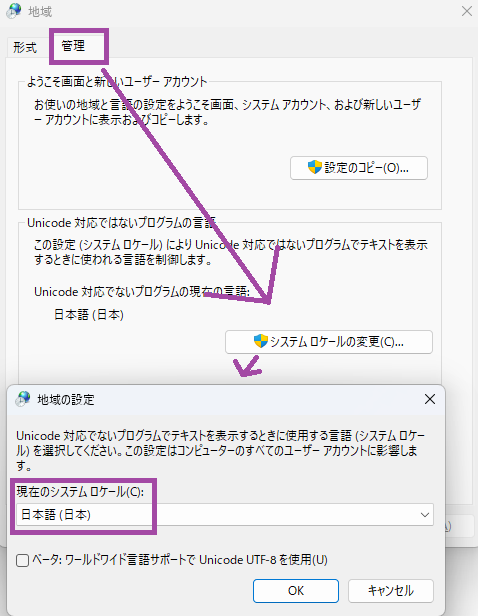
- This doesn't affect your
Setup: Textractor
-
- 99% of the time
x86is better - You can also create a
shortcutor pin it to your taskbar
Open the
Textractorfolder >x86>Textractor
- 99% of the time
-
Open
Textractorapp and checkExtensions, if something is missing from my list, you can drag it from the folder into the extension window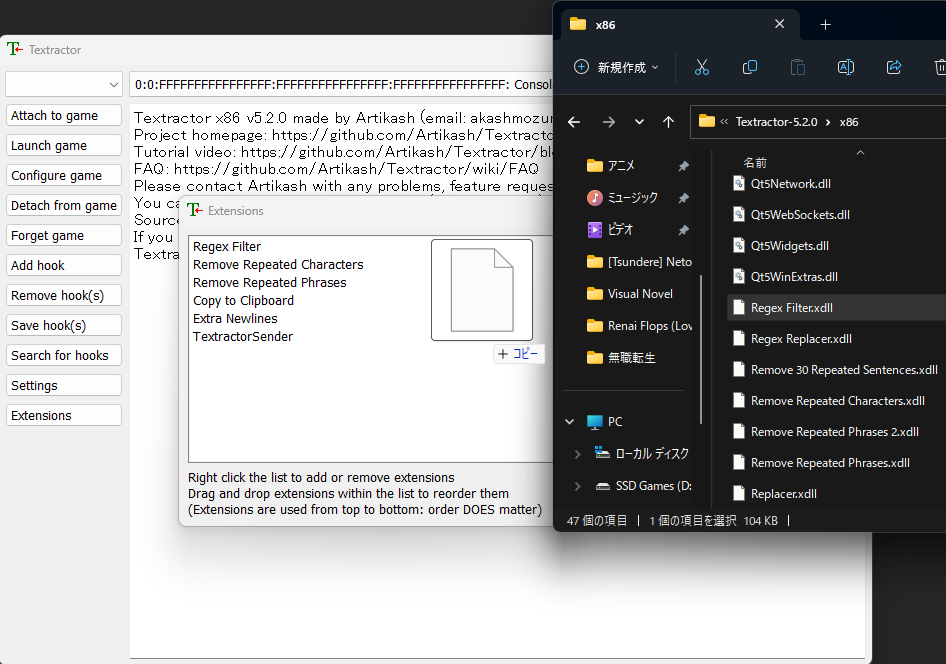
-
Open your
Visual Novelthen on yourTextractor>Attach to game>Find your Visual Novel- Sometimes it is named engine, not actual VN name e.g. SiglusEngine
-
It should look like this after attaching
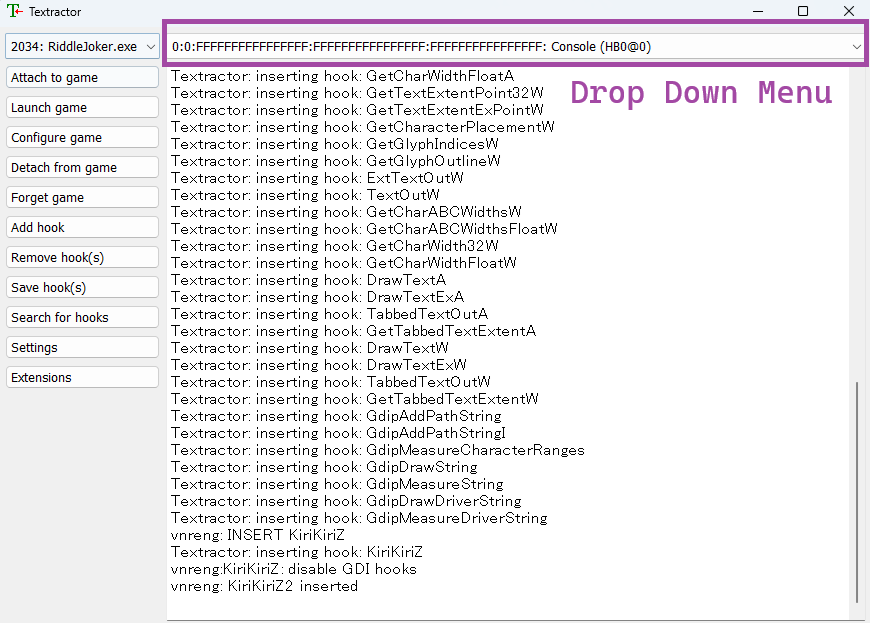
-
On your
Visual Novel, play it so it can generate the text from the game, after 1-2 dialogues, check back on yourTexthookerand find asuitable hooked textfrom the drop-down menu- Check Extra Info and Tips if you have trouble finding the proper hook or the text is messy
-
If it's working properly it should look like this:
- Click
Save hook(s)if everything is alright
- Click
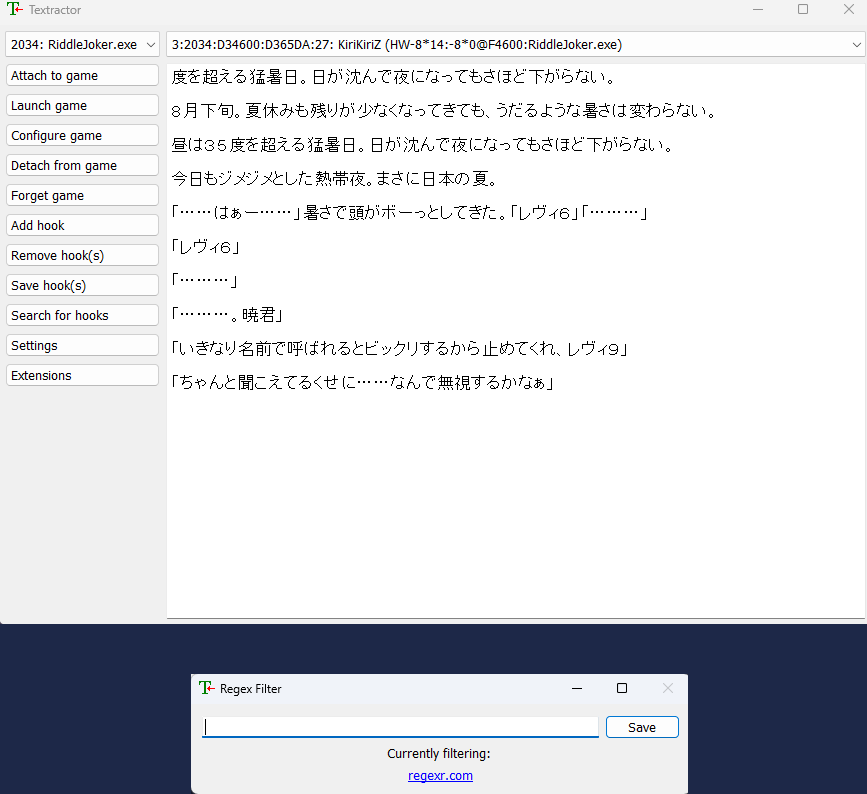
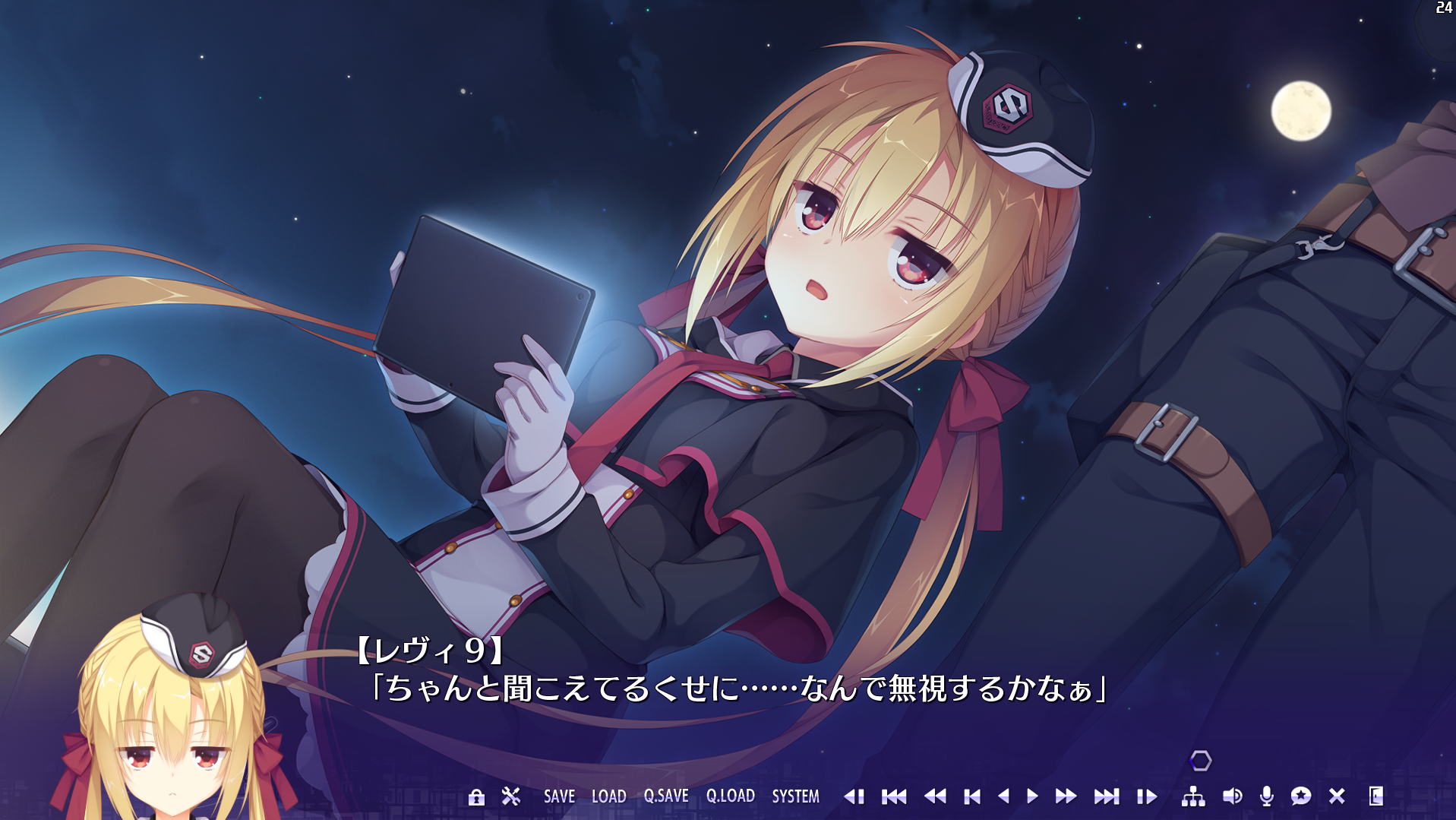
It is now texthooking, proceed to Clipboard Inserter to be able to use the text from Textractor and use Yomitan on it
Setup: Clipboard Inserter
-
Go to
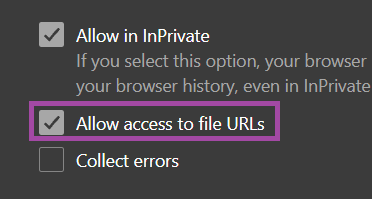
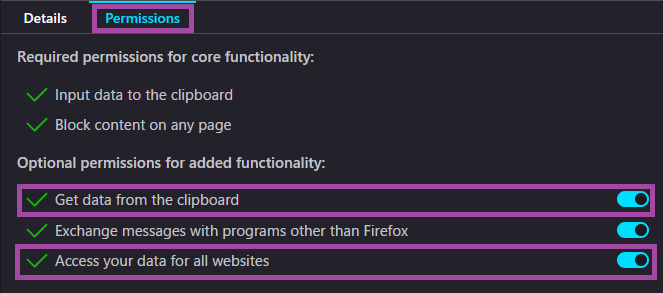
chrome://extensionsoredge://extensionsorabout:addons(firefox) and go toClipboard Inserterextension settings -
Make sure for:
- Chrome/Edge:
Allow access to file URLsis enabled - Firefox:
Access your data for all websitesis enabled
- Chrome/Edge:
-
Go to
Textractor 5.2.0folder and opentexthookerpage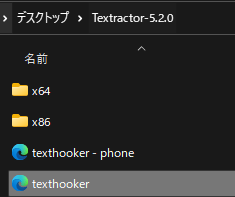
-
Turn on
Clipboard InserterExtension by clicking on it at theTexthooker Pagelocated at the top right
-
If working as intended it should paste anything you copy or from textractor:
- You can now use Yomitan on it
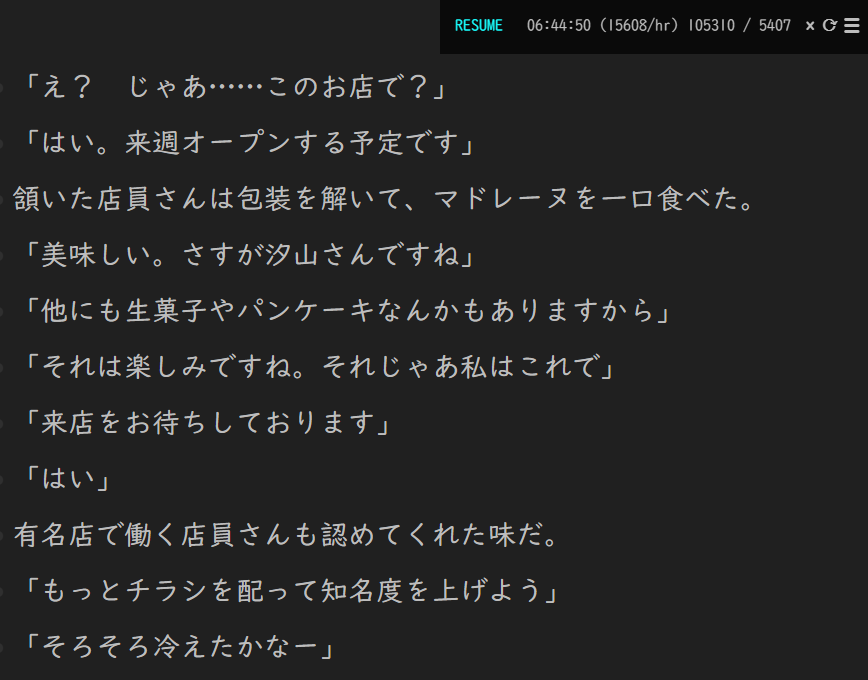
Now that the Clipboard Inserter is working, let's proceed on knowing how to play Visual Novel on Android
Proceed to VN on Android Setup
If you have any problems check FAQs
Extra Info and Tips
Info 1: Finding the proper texthook
Finding the proper texthook (click here)
-
Some VNs is hard to hook, messed and/or missing text, on which case you need to manually find a hook(video guide) or search the internet for one (e.g. Riddle Joker hookcode) then
add hook>save hook -
Some VNs problem is the version itself, you'll be safe using
JPonly version rather than steam/multi-language versions
Info 2: Using Regex to remove unnecessary text
Using Regex to remove unnecessary text (click here)
-
When all text is present but there is unnecessary unwanted text, you need to use regex filter which is usually on the 2nd tab of Textractor
-
For regex you need some techy knowledge or search around for a specific VN
Info 3: Setting the dialogue speed to max to prevent missing text
Setting the dialogue speed to max to prevent missing text (click here)
- Some Visual Novels are sensitive, and that it will only textract a portion of its text since the dialogue appeared slowly
- Max up the dialogue speed in the VN settings
Tip 1: Getting Visual Novels
Getting Visual Novels (click here)
To get VNs, search around the web, go to nyaa or discord servers that have them or BUY them
- If you pm me, I can give you more details